
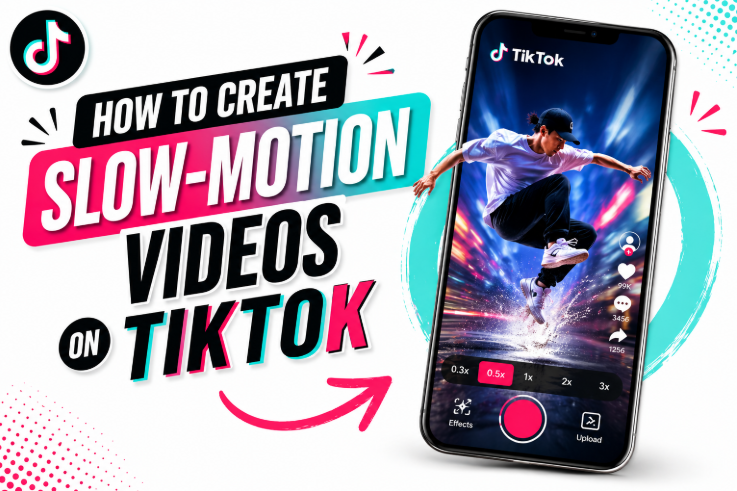
Creating engaging content on TikTok is not just about trends — it’s also about how creatively you present your videos. One of the most popular editing styles today is slow motion videos, which can instantly make simple clips look cinematic, emotional, or more engaging. In this guide, you will learn exactly how to create slow-motion videos on TikTok step by step, along with tips to increase TikTok views, likes, and engagement naturally.
This guide covers everything from using TikTok’s built-in slow motion effect to editing on iPhone and even turning any regular video into a smooth slow mo video.
What is a Slow Motion Video?
A slow motion video is a video that plays at a slower speed than normal. This effect helps highlight emotions, movements, and details that are usually missed in real-time recording. On TikTok, slow motion content is widely used for:
- Dance videos
- Aesthetic clips
- Fitness transformations
- Lip-sync videos
- Funny moments
Using a slow down video effect can make even simple footage look professional and more engaging.
Why Slow Motion Videos Work on TikTok?
Slow motion content performs well because:
- It increases watch time
- It makes content more visually appealing
- It improves storytelling
- It increases the chances of getting TikTok likes and shares
- It can help boost TikTok views organically
The TikTok algorithm favors videos that keep users watching longer, and slow motion helps achieve that naturally.
How to Add Slow Mo on TikTok (Built-in Method)
TikTok provides a simple built-in feature to create slow motion effects. Here is how to add slow mo on TikTok step by step:
Step 1: Open TikTok App
Launch the TikTok app and tap the “+” button to create a new video.
Step 2: Record or Upload Video
You can either:
- Record a new video
- Upload an existing video from your gallery
Step 3: Go to Effects
Tap on Effects or Edit tools, depending on your version.
Step 4: Select Speed Option
Look for the Speed setting. This is where you control video speed.
Step 5: Choose Slow Motion
Select 0.3x or 0.5x speed to create a smooth slow mo video effect.
Step 6: Save and Post
Once done, save your video and post it with engaging captions and hashtags.
How to Do Slow Mo in TikTok (Advanced Editing Tips)
If you want more control over your content, here is how to do slow mo in TikTok more professionally:
- Record in high FPS (60fps or 120fps if possible)
- Use smooth lighting for better quality
- Apply slow motion only on key moments
- Combine normal + slow motion clips
This method helps your content look more cinematic and can increase engagement significantly.
How to Create Slow Motion Videos on iPhone
Many users prefer editing before uploading. If you are using an iPhone, here is how to create slow mo video iPhone style:
Step 1: Open Photos App
Go to your recorded video in the Photos app.
Step 2: Tap Edit
Select the video and tap “Edit”.
Step 3: Adjust Speed
Use the speed slider or slow motion section to adjust timing.
Step 4: Save Video
Save the edited version to your gallery.
Now you can upload it directly to TikTok with enhanced quality.
How to Turn Any Video into Slow Motion
If you already have a normal video and want to convert it, here is how to make a video into slow motion:
- Use TikTok speed tool
- Use mobile apps like CapCut or InShot
- Reduce playback speed to 0.5x or lower
- Export in high quality
This helps you slow down video smoothly without losing quality.
Best Apps for Slow-Motion Videos
If TikTok’s built-in tools are not enough, try these apps:
- CapCut (best for TikTok editing)
- InShot
- VN Editor
- iMovie (iPhone users)
These apps allow more advanced control over slow motion videos and transitions.
Tips to Get More TikTok Views with Slow Motion Videos
Creating slow motion videos is not enough — you also need optimization for growth.
1. Use Trending Sounds
Combine slow motion clips with trending audio to increase reach.
2. Post at Right Time
Upload when your audience is most active.
3. Use Hashtags
Add relevant hashtags like:
- #slowmotion
- #tiktokslowmotion
- #viralvideo
- #fyp
4. Hook in First 3 Seconds
Make sure your video grabs attention immediately.
5. Keep it Short
Short, slow motion clips perform better than long videos. These strategies help increase TikTok views and engagement naturally.
How Slow Motion Affects TikTok Algorithm
TikTok promotes videos that:
- Keep users watching
- Get higher engagement
- Encourage shares and saves
Slow motion content helps improve all these metrics, especially watch time. That’s why many creators use it to grow their account and gain more TikTok likes.
Common Mistakes to Avoid
- Using too much slow motion (makes the video boring)
- Poor lighting (reduces video quality)
- Low-resolution clips
- Not syncing with music
- Ignoring captions and hashtags
Avoiding these mistakes can significantly improve your performance.
Final Thoughts
Learning how to create slow-motion videos on TikTok is one of the easiest ways to improve your content quality and boost engagement. Whether you are using TikTok’s built-in tools or editing from iPhone or apps, the key is to use slow motion strategically, not excessively.
When done correctly, slow motion videos can help you:
- Increase TikTok views
- Gain more TikTok likes
- Improve audience retention
- Make your content look professional
Start experimenting with different styles, and you will quickly notice improvement in your TikTok growth.