
PDF lead magnets are everywhere.
Businesses use them for:
-
ebooks,
-
white papers,
-
checklists,
-
buying guides,
-
research reports,
-
case studies,
-
templates,
-
product catalogs,
-
industry guides.
The usual marketing workflow looks like this:
Traffic
→ Landing page
→ Form
→ PDF download
That model works.
But it often stops too early.
The marketing team knows that someone downloaded the file.
It may even know their email address.
What it usually does not know is:
-
whether the PDF was actually opened,
-
how far the reader progressed,
-
which pages received attention,
-
where readers stopped,
-
whether they clicked the next action.
That means the PDF is treated as the end of the funnel when it could become another measurable stage inside it.
The Download Is Not the Conversion
A download can be valuable.
It shows that someone was interested enough to request the resource.
But downloading and consuming content are two different behaviors.
Imagine two leads.
Lead A
Downloads a 25-page guide.
Never opens it.
Lead B
Opens the guide.
Reaches page 18.
Returns the next day.
Clicks a CTA.
If the only metric is:
PDF Downloaded
both leads appear almost identical.
They are not.
This is why marketers should separate:
content acquisition
from:
content engagement
and:
next-step action
A Better Funnel for PDF Content
A more useful PDF funnel looks like this:
Traffic
→ Landing page
→ Lead captured
→ PDF opened
→ Content consumed
→ CTA clicked
→ Conversion
Each stage answers a different question.
Traffic
Did the campaign attract attention?
Lead Capture
Did the visitor exchange information for access?
Document Engagement
Did the reader actually interact with the content?
Conversion
Did the reader take the next business action?
This creates a more complete picture than download count alone.
The PDF Should Not Be a Dead End
Many businesses invest heavily in generating traffic.
They run:
-
SEO,
-
PPC,
-
social media,
-
email campaigns,
-
partnerships.
Then they send users into a PDF with no measurable next step.
That creates a strange gap.
Everything before the PDF is optimized.
Everything after the PDF becomes invisible.
A high-value content asset should ideally connect back into the customer journey.
Why Browser-Based PDF Publishing Helps
A PDF attachment or direct download exists mainly as a file.
A browser-based reading page creates a web environment around that file.
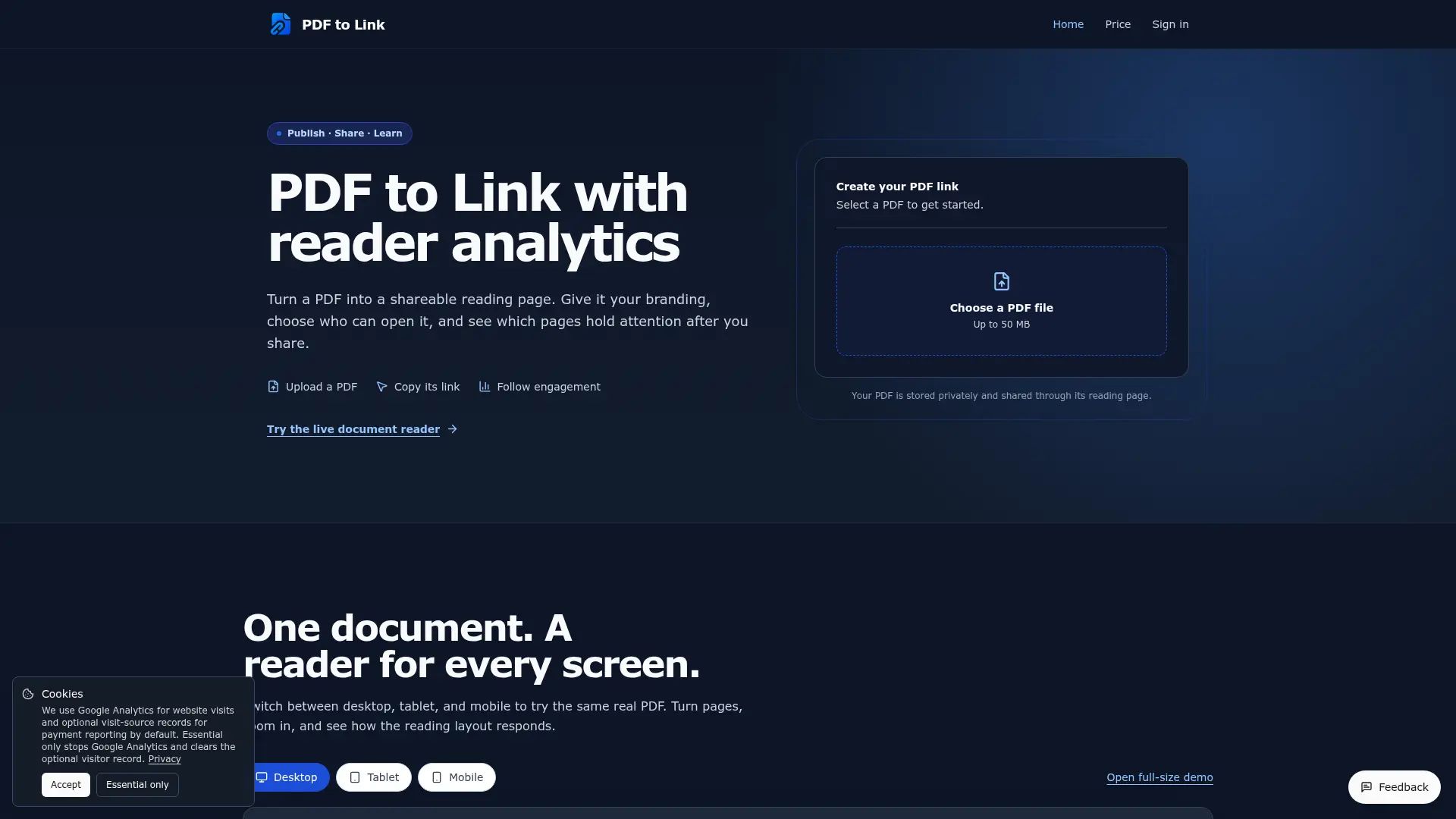
For example, PDF to Link lets a PDF remain a PDF while being published through a browser-based reading page.
The document does not need to be rebuilt as HTML.
Instead, the page around it can support things such as:
-
reader analytics,
-
branding,
-
password protection,
-
lead capture,
-
CTA buttons,
-
QR sharing.
This changes the PDF from a downloadable asset into part of a measurable marketing workflow.
Lead Capture Can Happen Before or Around the Document
A traditional lead magnet usually captures information before the file is downloaded.
That is still useful.
But a browser-based PDF workflow creates more flexibility.
A business may want to:
-
collect contact information before access,
-
make the document public but place a lead form around it,
-
offer additional gated resources after reading,
-
connect the document to a CTA.
The important point is not where the form appears.
It is making the PDF part of a larger conversion path.
Not Every PDF Should Be Gated
This is an important marketing decision.
Businesses sometimes gate everything.
That can hurt distribution.
A short brochure may not be valuable enough to justify asking for:
-
name,
-
company,
-
email,
-
phone number.
A detailed industry report may be different.
A good rule is:
The more value the document provides, the more reasonable it is to ask for information.
Possible approaches include:
Fully public
Best for:
-
brochures,
-
product catalogs,
-
basic educational content.
Lightly gated
Ask only for email.
Best for:
-
useful guides,
-
checklists,
-
templates.
Higher-intent form
Ask for business details.
Best for:
-
research reports,
-
enterprise buying guides,
-
high-value B2B resources.
The form should match the value of the document.
The Problem With Measuring Only Form Submissions
Suppose 500 people submit a form.
The dashboard reports:
500 leads
That may be correct from an acquisition perspective.
But what happens next?
Maybe:
-
300 never open the resource,
-
150 read a few pages,
-
40 reach the main argument,
-
10 click the CTA.
Now the funnel looks very different.
The PDF itself becomes an important qualification layer.
Reading Depth Can Add Intent Signals
Reading Depth shows how far sessions progress through the document.
Imagine a 20-page buying guide.
The engagement curve might look like:
Page 1 — 100%
Page 5 — 83%
Page 10 — 60%
Page 15 — 34%
Page 20 — 18%
That pattern can help answer:
-
Is the guide too long?
-
Are important sections too late?
-
Do people lose interest before the offer?
-
Do readers reach the CTA section?
The metric is not perfect.
A reader can skip forward.
So it should be treated as a progress signal, not proof of full reading.
Reaching the Final Page Does Not Equal Completion
This distinction is especially important for marketers.
If someone jumps from page 1 directly to page 20, the system can honestly say:
Reached Page 20
It cannot honestly say:
Read 100%
That is why metric naming matters.
Better:
Reached Last Page
Less accurate:
Completion Rate
Good conversion analytics should avoid exaggerating what the data means.
Active Time Can Help Separate Weak and Strong Engagement
Session duration can also be misleading.
Imagine someone opens the PDF for one minute, switches tabs, and comes back 20 minutes later.
A raw timer might report:
21 minutes.
That makes the session look much more engaged than it really was.
A better signal is time while the document is visible and the browser is active.
This is often described as Active Time.
It still does not prove attention.
But it gives marketers a stronger signal than raw session length.
Page-Level Engagement Can Reveal Which Sections Matter
Imagine a white paper with these active-time values:
Page 1 — 19 sec
Page 2 — 22 sec
Page 3 — 20 sec
Page 4 — 75 sec
Page 5 — 18 sec
Page 4 is clearly different.
Why?
It might contain:
-
original research,
-
pricing,
-
a comparison table,
-
a key diagram,
-
a strong case study.
The analytics cannot tell you why automatically.
But they can identify where attention changes.
That is useful for:
-
improving the next version,
-
creating new content,
-
moving high-value sections earlier,
-
testing CTA placement.
Exit Pages Show Where the Funnel May Break
Exit Page data can help identify where reading sessions stop.
Suppose a 15-page report shows a large number of exits around page 7.
That does not automatically mean page 7 is bad.
Readers may:
-
find the answer they needed,
-
become confused,
-
lose interest,
-
click away,
-
decide the content is not relevant.
The data gives the marketing team a place to investigate.
This is similar to analyzing website drop-off.
The difference is that the funnel exists inside a PDF.
CTA Clicks Connect Content to Business Outcomes
A PDF should ideally answer:
What should the reader do next?
Possible CTAs include:
-
Book a demo
-
Request a quote
-
Contact sales
-
View pricing
-
Start a trial
-
Download another resource
-
Visit a product page
Without a visible next step, valuable engagement may go nowhere.
A browser-based reading page can place a CTA around the PDF instead of relying only on links embedded in the file.
That creates a clearer sequence:
Read
→ Consider
→ Click
→ Convert
CTA Placement Matters
Not every CTA belongs at the end.
Suppose most readers never reach the last three pages.
If the only CTA appears on page 20, many readers will never see it.
Analytics can help answer:
-
should the CTA appear earlier?
-
should there be more than one CTA?
-
should the reading page contain a persistent next step?
The goal is not to overload the document.
It is to make the intended action visible.
Use Different CTAs for Different Documents
A white paper might use:
Book a consultation
A checklist might use:
Get the full toolkit
A product catalog might use:
View products
A case study might use:
Talk to sales
A portfolio might use:
Start a project
The CTA should match the intent created by the document.
Lead Quality Can Be Inferred From Multiple Signals
No single signal proves purchase intent.
But several signals together can be more useful.
For example:
Lead A:
-
form submitted,
-
document opened once,
-
page 2 exit.
Lead B:
-
form submitted,
-
document reopened,
-
reached page 15,
-
spent active time on pricing,
-
clicked CTA.
Both are leads.
But the second one may deserve faster follow-up.
This is where document engagement becomes useful for sales and marketing alignment.
PDF Engagement Can Improve Lead Scoring
Traditional lead scoring may use:
-
company size,
-
job title,
-
email engagement,
-
website visits,
-
product-page visits.
Document engagement can add another layer.
Possible signals include:
-
PDF opened,
-
repeat sessions,
-
high reading depth,
-
CTA click.
Businesses should be careful not to over-engineer this.
But for high-value B2B content, it can provide useful context.
Direct PDF URL vs Reading Page
There is also a technical distinction.
A direct PDF URL might look like:
https://example.com/guide.pdf
That points directly to the file.
A reading-page URL might look like:
https://example.com/page/abc123
That points to a webpage displaying the PDF.
The PDF to URL workflow explains this distinction in more detail.
A direct PDF URL is better when:
-
the raw file is the main asset,
-
downloading is required,
-
another system needs the file.
A reading page is more useful when:
-
the reader is the audience,
-
engagement matters,
-
lead capture matters,
-
CTA matters,
-
branding matters.
Google Drive Is Not a Conversion Funnel
Google Drive is excellent for:
-
storage,
-
folders,
-
collaboration,
-
permissions.
It is not primarily built to manage marketing conversion around a PDF.
This is an important distinction.
Cloud storage answers:
Where is the file?
A marketing workflow asks:
What happened after the reader opened it?
Both tools can be useful.
They simply solve different problems.
QR Codes Expand the Funnel Offline
A PDF lead magnet does not have to live only online.
A QR code can connect physical material to the same document.
Examples include:
-
conference booths,
-
trade shows,
-
printed brochures,
-
event posters,
-
product packaging,
-
business cards.
The flow becomes:
Offline touchpoint
→ QR scan
→ PDF reading page
→ Lead capture / CTA
This turns the same content asset into a multi-channel marketing tool.
Branding Matters in Lead Generation
Lead magnets represent the business.
A generic file-hosting interface may create a weaker transition between:
website
→ PDF
A branded reading page can create more continuity through:
-
logo,
-
favicon,
-
background,
-
social links,
-
CTA.
The document itself does not need to change.
The experience around it becomes part of the brand.
Password Protection Can Support High-Value Content
Some lead assets are intentionally restricted.
Examples include:
-
private benchmark reports,
-
partner guides,
-
paid research,
-
investor material.
In those cases, password protection can add a basic access layer.
This is not the same as enterprise DRM.
But it can support controlled distribution for certain marketing assets.
A Simple PDF Conversion Framework
Before publishing a PDF lead magnet, ask four questions.
1. Acquisition
How will people reach it?
-
SEO
-
PPC
-
social media
-
email
-
QR code
2. Engagement
What will you measure?
-
sessions
-
reading depth
-
active time
-
page engagement
3. Qualification
What behavior suggests stronger intent?
-
repeat sessions
-
deep reading
-
CTA click
4. Conversion
What should happen next?
-
demo
-
quote
-
signup
-
contact
-
purchase
This keeps the document connected to business outcomes.
How to Publish a PDF as a Conversion Asset
The basic workflow is straightforward.
A guide on how to make a PDF a link follows this sequence:
-
Choose the PDF.
-
Upload it.
-
Publish a browser-based reading page.
-
Configure branding and access.
-
Add lead capture or CTA where appropriate.
-
Share the URL or QR code.
-
Review engagement.
-
Improve the document or campaign.
The upload itself is the easy part.
The important part is deciding what role the PDF plays in the funnel.
Common Mistakes
Mistake 1: Measuring Only Downloads
Downloads measure acquisition, not content consumption.
Mistake 2: Asking for Too Much Information
A five-field form may be too much for a simple checklist.
Mistake 3: Hiding the CTA at the End
Many readers may never reach it.
Mistake 4: Treating Engagement as Purchase Intent
Reading behavior is a signal, not proof.
Mistake 5: Using the Same Funnel for Every PDF
A brochure, white paper, and pricing guide should not necessarily use the same strategy.
Final Thoughts
A PDF lead magnet should not be treated as the end of the marketing funnel.
It can become another measurable stage inside it.
A stronger model is:
Traffic
→ Lead Capture
→ PDF Engagement
→ CTA
→ Conversion
This gives marketers more context.
It helps separate:
people who downloaded
from:
people who actually engaged
and:
people who took the next step
The PDF itself does not need to disappear.
It simply needs to become part of the conversion system.
 hybridplus123
 Alish Olve