
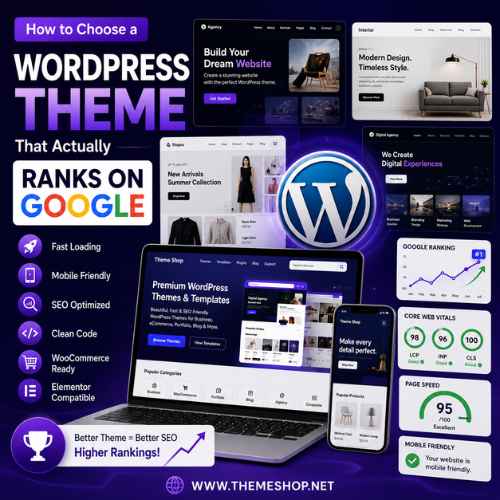
Choosing a WordPress theme is about much more than appearance. Many website owners focus on design, colors, and layouts while ignoring the factors that directly impact Google rankings. A beautiful website that loads slowly or performs poorly on mobile devices can struggle to rank, regardless of how much content you publish.
If your goal is to generate organic traffic, attract visitors, and grow your business, you need a WordPress theme built for SEO from the ground up. The right theme creates a strong technical foundation that helps search engines crawl, index, and understand your website more efficiently.
In this guide, you’ll learn exactly how to choose a WordPress theme that actually ranks on Google and supports long-term SEO success.
Why Your WordPress Theme Matters for SEO
Many people think SEO is only about:
- keywords,
- backlinks,
- and content.
While those factors are important, your WordPress theme directly affects:
- website speed,
- mobile usability,
- page experience,
- Core Web Vitals,
- crawlability,
- and user engagement.
Google wants to rank websites that provide excellent experiences for users. A poorly optimized theme can create technical issues that limit your rankings.
Look for Fast Loading Performance
Website speed is one of the most important ranking factors.
A fast-loading theme helps:
- improve Core Web Vitals,
- reduce bounce rates,
- increase engagement,
- and improve user satisfaction.
When evaluating a WordPress theme, check if it is:
- lightweight,
- optimized for performance,
- built with clean code,
- and free from unnecessary animations.
Many flashy themes look attractive but include excessive scripts that slow down websites significantly.
Fast themes usually rank better because they provide a smoother experience for visitors.
Choose a Mobile-Friendly Theme
Google uses mobile-first indexing.
This means Google primarily evaluates the mobile version of your website when determining rankings.
Your WordPress theme should work perfectly on:
- smartphones,
- tablets,
- laptops,
- and desktop computers.
A responsive WordPress theme automatically adapts to different screen sizes and ensures visitors can navigate your website comfortably.
Responsive websites typically achieve:
- better engagement,
- longer session durations,
- and improved rankings.
Check Core Web Vitals Compatibility
Core Web Vitals are performance metrics Google uses to evaluate user experience.
These include:
- Largest Contentful Paint (LCP),
- Interaction to Next Paint (INP),
- and Cumulative Layout Shift (CLS).
A quality SEO-friendly WordPress theme should be optimized to perform well in these metrics.
Themes that load quickly and maintain stable layouts generally perform better in search results.
Select SEO-Friendly Coding Standards
Clean code is essential for SEO.
A well-coded WordPress theme helps search engines:
- crawl pages faster,
- understand content structure,
- and index pages efficiently.
Look for themes that use:
- semantic HTML,
- proper heading structures,
- lightweight CSS,
- and optimized JavaScript.
Avoid themes that generate messy code or rely heavily on outdated technologies.
Prioritize Lightweight Themes
Many premium themes advertise hundreds of features and animations.
While these features may appear attractive, they often create performance issues.
Lightweight WordPress themes typically provide:
- faster loading speeds,
- cleaner user experiences,
- better mobile performance,
- and stronger SEO foundations.
Simple themes frequently outperform bloated themes in search rankings.
Ensure Responsive Navigation
Navigation plays a major role in user experience.
Your theme should provide:
- mobile-friendly menus,
- clear navigation paths,
- logical page structures,
- and intuitive layouts.
Visitors should be able to find information quickly without confusion.
Good navigation helps:
- increase page views,
- reduce bounce rates,
- and improve engagement metrics.
Verify Schema Markup Support
Schema markup helps search engines understand website content more clearly.
SEO-friendly WordPress themes often include support for:
- articles,
- products,
- reviews,
- organizations,
- and breadcrumbs.
Schema can improve search visibility and increase click-through rates by enhancing search result appearances.
Check Elementor Compatibility
Elementor has become one of the most popular page builders for WordPress.
Themes that support Elementor allow users to:
- customize layouts,
- create landing pages,
- design service pages,
- and build websites visually.
However, Elementor compatibility should not come at the expense of speed.
Choose themes that balance:
- customization,
- performance,
- and SEO optimization.
Choose WooCommerce-Ready Themes for Stores
If you’re running an online store, WooCommerce compatibility is essential.
SEO-friendly WooCommerce themes should provide:
- responsive product pages,
- optimized category layouts,
- fast checkout experiences,
- and mobile shopping support.
Google rewards eCommerce websites that provide smooth shopping experiences.
Evaluate Demo Performance
Before purchasing a theme, test its live demo.
Look for:
- fast loading speed,
- mobile responsiveness,
- clean layouts,
- and smooth navigation.
Many theme demos appear attractive but perform poorly under real-world conditions.
Testing demos helps identify potential SEO issues before making a purchase.
Avoid Themes with Excessive Animations
Animations can improve visual appeal when used carefully.
However, excessive animations often:
- slow down websites,
- increase page weight,
- and hurt Core Web Vitals.
Google prioritizes usability over flashy effects.
Choose themes that focus on performance first.
Look for Regular Updates
SEO requirements change constantly.
WordPress themes should receive:
- security updates,
- compatibility fixes,
- performance improvements,
- and feature enhancements.
Regularly updated themes help ensure:
- stability,
- security,
- and long-term SEO performance.
Check Browser Compatibility
Visitors use different browsers, including:
- Chrome,
- Firefox,
- Safari,
- Edge,
- and mobile browsers.
Your theme should work consistently across all major browsers.
Cross-browser compatibility improves user experience and accessibility.
Focus on User Experience
Google increasingly prioritizes websites that provide excellent user experiences.
Your WordPress theme should improve:
- readability,
- navigation,
- accessibility,
- and engagement.
Visitors should find content easy to consume and interact with.
Positive user signals often contribute to stronger rankings.
Common Mistakes That Hurt SEO
Many website owners unknowingly choose themes that limit ranking potential.
Avoid these common mistakes.
Choosing Themes Only for Design
A beautiful design means little if the website loads slowly.
Always prioritize:
- speed,
- responsiveness,
- and SEO.
Ignoring Mobile Performance
Poor mobile experiences can significantly reduce rankings.
Always test themes on smartphones before making a decision.
Installing Too Many Theme Features
Many themes include:
- sliders,
- animations,
- widgets,
- and visual effects.
Only use features that add real value to visitors.
Using Outdated Themes
Outdated themes often create:
- security risks,
- compatibility issues,
- and performance problems.
Choose themes maintained by active developers.
Why Businesses Need SEO-Friendly Themes
Businesses benefit from SEO-friendly WordPress themes because they improve:
- visibility,
- lead generation,
- website performance,
- and user experience.
A strong SEO foundation helps businesses compete more effectively in search results.
Why Agencies Prefer High-Performance Themes
Agencies build websites for multiple clients.
High-performance themes help agencies:
- launch projects faster,
- improve SEO results,
- and deliver better user experiences.
Lightweight responsive themes often become agency favorites because they perform consistently across industries.
Future Trends in SEO-Friendly Themes
Modern WordPress themes continue evolving with:
- mobile-first design,
- AI-assisted customization,
- lightweight frameworks,
- and enhanced performance optimization.
Future SEO success will depend heavily on:
- speed,
- usability,
- accessibility,
- and user experience.
Choosing a theme built around these principles will provide long-term benefits.
Final Thoughts
Choosing a WordPress theme that actually ranks on Google requires looking beyond visual design.
The best SEO-friendly themes provide:
- fast loading speed,
- responsive layouts,
- clean code,
- schema support,
- WooCommerce compatibility,
- and excellent user experience.
Whether you’re building:
- a business website,
- online store,
- portfolio,
- blog,
- or agency platform,
selecting the right theme can dramatically improve:
- search rankings,
- organic traffic,
- user engagement,
- and long-term growth.
A high-quality WordPress theme creates the foundation for SEO success and helps your website compete effectively in Google’s search results.
 priyanshipaghdal.vision@gmail.com
  Pianpian qian
  HelpDesk Australia