
TikTok comments are one of the most powerful engagement signals on the platform. They show real audience interaction, boost your video reach, and help your content go viral faster. If your videos are not getting enough comments, you are missing a major growth opportunity.
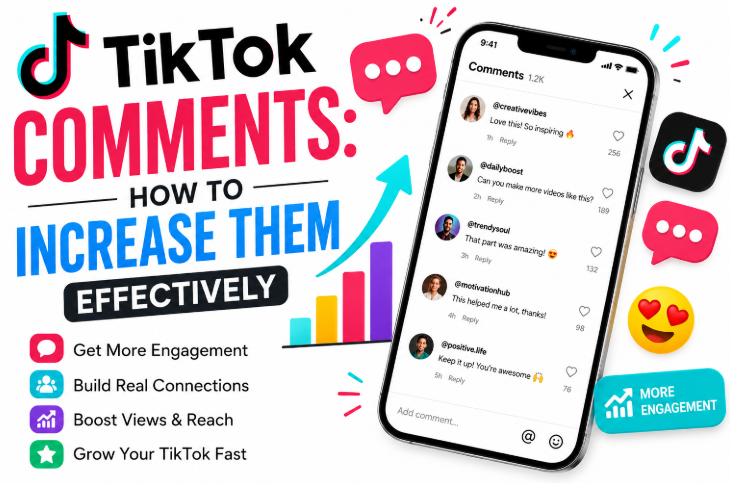
In this guide, we will cover everything you need to know about TikTok comments, including how to increase them, manage them, fix common issues, and use advanced engagement strategies. This article is deeply informational and optimized to help creators, brands, and marketers improve their TikTok performance.
Why TikTok Comments Are So Important?
TikTok’s algorithm prioritizes engagement. Comments are one of the strongest indicators that your content is valuable.
When users leave comments:
- Your video gets a higher reach
- TikTok pushes it to more “For You Page” users
- It builds community interaction
- It increases watch time indirectly
Simply put, more TikTok comments = more visibility + faster growth.
How to Increase TikTok Comments Effectively
If you want more comments, you need to trigger audience interaction intentionally. Here are proven methods:
1. Ask Direct Questions in Your Video
One of the simplest ways to increase engagement is by asking questions like:
- “What do you think about this?”
- “Which option is better, A or B?”
- “Have you experienced this before?”
This encourages users to respond naturally in the comment section.
2. Use Controversial or Opinion-Based Content
People love sharing opinions. Content that sparks debate usually gets more TikTok comments.
Example:
- “Is TikTok better than Instagram in 2026?”
- “This trend is overrated—do you agree?”
3. Reply to Comments With New Videos
When you reply to a comment with a video, TikTok pushes your content more.
This method:
- Increases engagement loop
- Encourages more users to comment
- Builds audience loyalty
4. Post Relatable Content
Relatable content naturally gets more reactions and comments. Focus on:
- Daily life situations
- Humor
- Trending challenges
5. Use Call-to-Actions (CTAs)
Always tell viewers what to do:
- “Comment your opinion below.”
- “Tag a friend who needs to see this.”
- “Drop your thoughts.”
TikTok Comments Not Loading: Causes & Fixes
Sometimes users face the issue of TikTok comments not loading, which can affect engagement and visibility.
Common Reasons:
- Weak internet connection
- Outdated TikTok app
- Server issues from TikTok
- Cache problems
- Restricted content settings
How to Fix It:
- Restart the app
- Clear TikTok cache from settings
- Update TikTok to the latest version
- Switch internet connection (WiFi/4G)
- Reinstall the app if needed
If the issue continues, it may be a temporary TikTok server glitch.
How to Pin Comments on TikTok
Pinning comments helps you highlight important messages, questions, or brand promotions.
Steps for Pinning Comments:
- Open your TikTok video
- Go to the comment section
- Long-press on the comment you want
- Tap “Pin comment.”
Can You Pin Comments on TikTok?
Yes, you can pin comments, but only one comment can be pinned at a time per video.
Why Pin Comments?
- Highlight important feedback
- Boost engagement
- Control conversation direction
- Promote CTAs or links
How to Delete Comments on TikTok
Managing your comment section is important for maintaining a clean community.
To delete a comment:
- Open your video
- Go to comments
- Long-press on the unwanted comment
- Tap “Delete”
You can also restrict or filter comments in privacy settings.
How to Add or Put Pictures in TikTok Comments
Many users ask: how to add pictures on TikTok comments or how to put pictures in TikTok comments?
Currently:
- TikTok does NOT fully support direct image comments in most regions.
- However, some users can reply with photo-based stickers or GIFs depending on app updates.
Workaround:
- Use GIFs instead of images
- Reply with a video response
- Describe the image in text format
TikTok may expand this feature in future updates.
Funny Pictures for TikTok Comments (Engagement Strategy)
Even though direct images are limited, creators still use funny pictures for TikTok comments through:
- GIF reactions
- Meme screenshots (via video replies)
- Humor-based captions
Funny content increases:
- Replies
- Shares
- Repeat engagement
Memes remain one of the strongest engagement drivers on TikTok.
Buy TikTok Comments: Is It Effective?
Many users look to buy TikTok comments for quick engagement. This involves paid services that offer either artificial or realistic interactions. A commonly referenced service is Likes For You, which provides engagement packages aimed at TikTok growth.
Pros:
- Instant engagement boost
- Helps new accounts appear active
- Can improve social proof
Cons:
- May not always bring real audience interest
- Risk of low-quality engagement
- Not a long-term growth strategy
The best approach is combining organic growth with optional promotional support, rather than relying fully on purchased engagement.
TikTok Comments Best Practices (SEO + Algorithm Tips)
To grow consistently, follow these strategies:
1. Focus on Engagement Triggers
- Questions
- Poll-style content
- Emotional hooks
2. Post Consistently
More videos = more chances for comments.
3. Reply Fast
Early replies boost visibility in the algorithm.
4. Use Trending Sounds
Trending content gets more exposure, leading to more comments.
How TikTok Comments Impact Algorithm Ranking
TikTok evaluates:
- Comment count
- Comment speed (how fast comments come after posting)
- Comment quality (length + interaction)
- Reply chains
Videos with strong comment activity are more likely to appear on the For You Page (FYP).
Final Thoughts
TikTok comments are not just reactions—they are a growth engine. Whether you’re a beginner creator or a brand, increasing your comment engagement can significantly boost your visibility.
To summarize:
- Use questions and CTAs to increase TikTok comments
- Fix issues like TikTok comments not loading
- Learn moderation, like how to delete comments on TikTok
- Use features like how to pin comments on TikTok
- Focus on organic engagement before considering buying TikTok comments
- Stay creative with humor, trends, and interaction
 incinquedigital@gmail.com